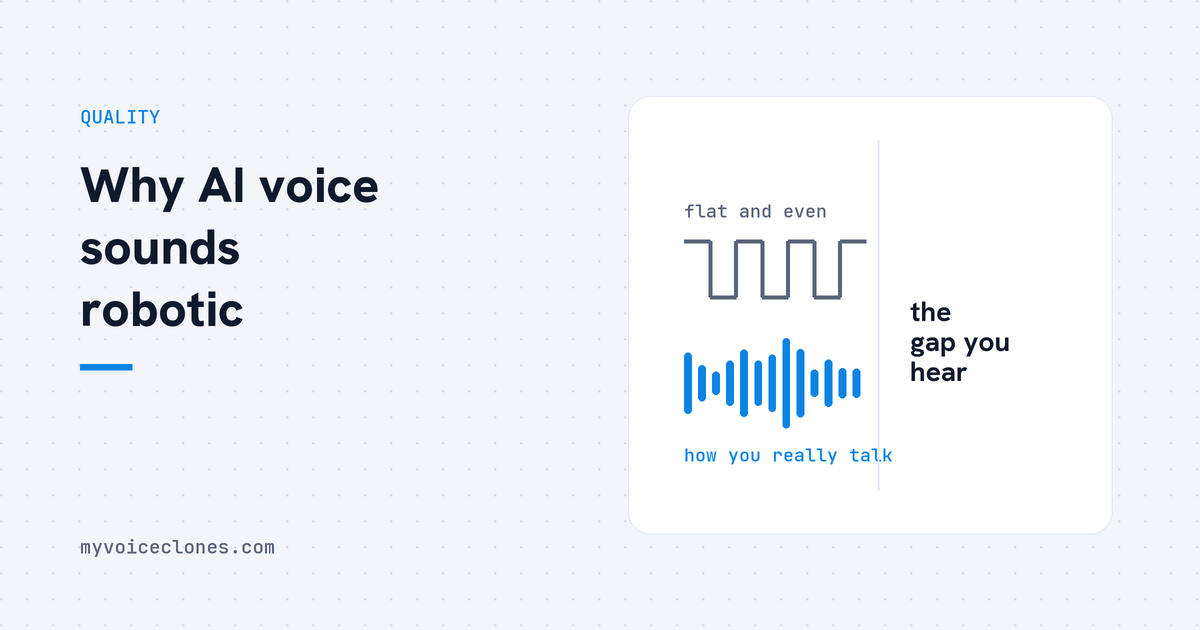
A cloned voice sounds robotic for seven separate reasons rather than one: a flat reference recording, breaths removed by cleanup filters, a single unchecked take, fragment style text, speed or pitch adjustment, a noisy source, and the ceiling of instant cloning itself. The fixes are to re record one to three natural minutes with breaths left in, generate several takes and keep the best, and train the model for the last step.
By Inam, who built VoiceClone and narrates his own videos with it. More of my engineering write ups live at designesh.com. Last updated 5 September 2026.
I keep a folder of my own failed generations on purpose, the way some people keep their first bad paintings. There is the clip where my clone pronounced "Python." as "it's odd", which still makes no sense to me emotionally even though I now know exactly why it happened.
There is the boomy week, where every clip sounded like me talking inside a cupboard. There is a lot of hiss.
Each failure taught me one specific cause, and it turned out that robotic is never one problem, it is seven different problems wearing the same coat. So here they are, diagnosed the way I would diagnose yours.
1. Why does a flat reference recording make the clone sound flat?
This is the most common cause by far. The engine can only reproduce the range you showed it, and most people record their sample in a careful, stiff reading voice, then wonder why the clone sounds careful and stiff.
It is not the AI being robotic. It is you being robotic for sixty seconds, faithfully preserved.
Fix: re record, talking naturally, telling a story rather than reading, with your normal energy shifts left in. I wrote a full recording guide, and no other twenty minutes in this whole hobby pays you back more.
2. Why does removing breaths make a voice clone sound uncanny?
Clean sounding sample, airless uncanny clone. Somebody, either you or an automatic cleanup filter, removed the breaths, and breaths are not noise, they are the punctuation of natural speech.
This is exactly what a noise gate is built to do. Audacity's own manual describes the effect as one that stops or reduces sounds below the threshold level, and a quiet breath between two sentences sits below almost anybody's threshold.
A model that never heard you breathe produces sentences that never breathe, and human ears flag that as robot within seconds without knowing why.
Fix: use the raw recording. Turn off aggressive noise gates and cleanup filters on the sample, and fix the room rather than the file.
3. Why does the same line come out perfect once and garbled the next time?
This is the part of the field the marketing never mentions: generation is a dice roll. The same text with the same voice comes out perfect on one seed and garbled on another, and a single generation is simply one roll.
When people show me a terrible clip from some free tool, my first question is how many takes it made. The answer is always one.
Fix: never judge from one take. VoiceClone generates five takes per line by default, runs a speech recognizer over each, grades every word, and hands you the best roll automatically, so the bad ones die before you hear them. If your tool cannot do that, do it manually, generate three times and keep the best, it costs a click.
4. Can the text you type make an AI voice sound robotic?
My "Python." disaster came from here. I had a habit of writing short punchy fragments, one word, then a period, and it turns out that feeding a synthesis engine a one word sentence gives it almost nothing to hold onto, so it hallucinates.
"Excel and AI." once came back as "it's sunday". The engine wants sentences with enough context to establish rhythm.
Fix: write flowing sentences for generation, and give abbreviations pronunciation help. "SQL" in my clips came out as "desql" until I taught it to say "Sequel". VoiceClone has a per voice word box for exactly this, covered in its own article, plus automatic handling for ALL CAPS acronyms.
5. Do speed and pitch adjustments make a cloned voice sound worse?
Usually yes. At some point I slowed my clone by two percent thinking it would sound more thoughtful, and instead the whole voice got boomy and closed, like I was talking with my mouth half shut.
I measured it later. Slowing below natural speed shifted energy into the low mids, plus 3 dB around 200 to 600 Hz, which reads as muffled. Small knob, big damage.
Fix: generate at natural speed and fix pacing in the script instead, with commas and sentence breaks where you want air.
6. Why does my voice clone hiss or hum?
A hissy or humming clone means a hissy or humming reference, reproduced faithfully in every clip. I lived with this one for weeks before swapping my reference for a clean take of the same sentence, and the generated noise floor dropped 24 dB overnight, 16 times quieter, with no settings touched.
Fix: the fix is upstream, in the recording room. VoiceClone's input check grades length, volume, clipping, noise and speech, and shows you second by second what is voice and what is junk so you can cut it, but nothing downstream beats a clean source.
7. Is my instant clone simply hitting its ceiling?
Sometimes nothing is wrong. The recording is clean, the takes are checked, and the voice is still 80 percent you with a synthetic sheen on top, because instant cloning imitates from a reference rather than truly learning your voice, and that has a ceiling.
I measured my own. Clean instant clones of me score 65 to 85 percent on a speaker match model, and no amount of re recording pushes past it.
The engine underneath VoiceClone, GPT-SoVITS, treats these as two separate modes on its own project page: zero shot conversion from a five second sample, and fine tuning on about a minute of training data for better similarity and realism. Causes 1 to 6 tune the first mode. Only the second mode moves the ceiling.
The two modes, compared honestly:
- Instant clone. Ready in about a minute, runs on CPU or GPU, scores around 80 percent speaker match on my scale, and stops there.
- Trained clone. Under an hour on a normal NVIDIA card, about 145 minutes on a small 4 GB laptop card, and about 96 percent on the same scale.
- Where instant is genuinely better. It costs a minute instead of an evening, and it works on a machine with no NVIDIA card in it at all, so for a draft read it is the right tool rather than the compromise.
- What training actually buys. Word endings, the weight of pauses, the small habits. Everything between sounds like him and that is him.
Fix: training, which adjusts the model's own weights to your voice instead of asking it to imitate. In VoiceClone it is one button, Make it perfect, and it runs on your own PC.
FAQ
Why does my voice clone sound nothing like me?
Usually the reference recording, too short, noisy, echoey, or performed in an unnatural announcer voice. Re record 1 to 3 minutes of natural talking in a quiet room. If it still misses, the tool's engine may be weak, so test the same recording in a different tool.
Why does my AI voice garble random words?
Synthesis is probabilistic, so some takes simply fail, and one word sentences or unusual formatting make it worse. Use tools that generate several takes and verify them with speech recognition, and write flowing sentences rather than fragments.
Can a robotic AI voice be fixed after generation?
Barely. Post processing can adjust tone slightly, but flatness, garbling, and noise are baked in at generation. The real fixes are upstream: better reference audio, multi take generation, and training.
Does training make an AI voice sound more natural?
Yes, more than anything else. In my measured tests, training moved my voice from an 80ish percent speaker match to about 96 percent, capturing rhythm and delivery that instant cloning misses. It is the single biggest quality jump available.
How do you run this diagnosis on your own clip?
Take your most robotic sounding generation and walk the seven causes in order, reference first, because it is the culprit four times out of seven.
If you want the version where causes 3, 4 and 6 are handled for you, the free app clones and fully trains one voice, yours, then gives you 3 generations to check it, so your own ears can run this article against a real result.
Hear your own voice come back.
The free Windows app clones and fully trains one voice, yours, on your own PC. No account, no upload, and the download starts right away.