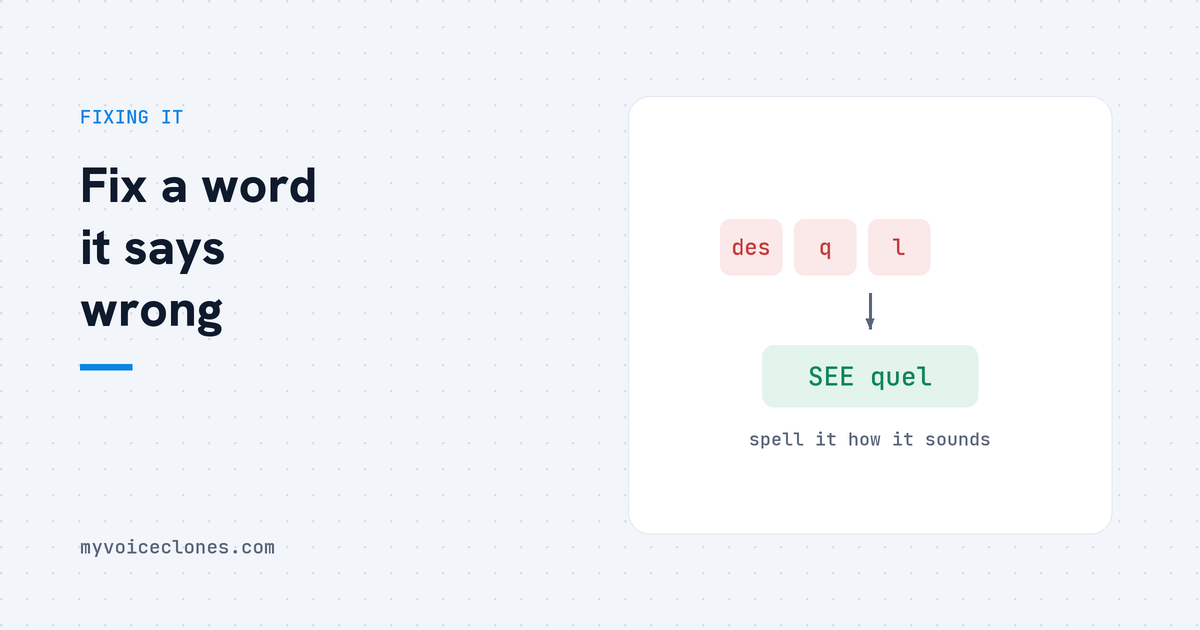
AI voices mispronounce names, brands, and acronyms because they guess from spelling. Quick fixes that work in any tool: respell the word phonetically, test it in a short sentence first, and keep a cheat sheet. The proper fix is a per voice pronunciation box like VoiceClone's, where you teach a word once, by picking an option or saying it yourself, and it stays fixed in every future clip.
The word "SQL" broke me. My cloned voice handled full paragraphs of my writing beautifully, my accent intact, my pauses in place, and then it would reach SQL and confidently say "desql," a word that does not exist in any language. The first time was funny. The tenth time, in the middle of an otherwise perfect narration, I understood why people abandon AI voices entirely, because one wrong word does not ruin one word, it ruins the listener's trust in the whole clip.
Then came my own brand name, Designesh, which the model performed a dozen creative crimes on. So I ended up learning everything below the practical way, and eventually building the fix I wished existed.
Why the model gets words wrong
A voice model learns pronunciation from patterns in spelling, the way a child who reads a lot pronounces words they have never heard aloud. For normal English it works startlingly well. It falls apart exactly where a well read child does: names, brand words, acronyms, borrowed words, anything where English spelling stops being a guide. The model has never heard "Designesh," so it guesses from the letters, and English letters are famously liars.
Acronyms are their own mess, because some are spoken as letters, some as words, and nothing in the spelling tells you which. SQL is genuinely ambiguous even among humans, half the industry says the letters and half says "Sequel," so I cannot fully blame the model for inventing a third option. I can blame it for being confident about it.
The tricks that work in any tool
If your tool has no pronunciation feature, you fix it in the script, and these are the moves that actually work rather than the ones people repeat online.
Respell the word the way it sounds. "Sequel" for SQL, "En vidia" for NVIDIA, "Dezig nesh" for my brand. Say the word out loud slowly and write down what your mouth actually did, then feed the model that. This solves most cases in one try.
Test the word alone before it matters. Generate one short sentence containing the troublemaker, listen, adjust the respelling, repeat. Thirty seconds of testing beats discovering the mangling at minute nine of a finished narration.
Keep a cheat sheet. Every tool mangles the same words for you every time, so a small note of your personal respellings, your name, your brand, your city, your industry acronyms, turns the problem from recurring into solved. Mine had eleven entries at its peak.
And know the limits: respelling makes your script lie. The people who wrote the speech synthesis standard saw this coming and gave the problem a tag of its own, where the spoken form and the written form are kept as two separate things, which tells you this is an old and real problem rather than a quirk of one tool. Plain respelling has no such split. If you export subtitles or a transcript from that script, your captions now say "En vidia" to the whole world, and you get to fix them by hand every single video. The trick works, and it quietly taxes you forever.
The proper fix: teach the word once
That tax is why VoiceClone handles pronunciation as a feature instead of a workaround. Every generated clip comes back with each word graded green, orange, or red by a speech recognizer that listened to the output, so a mangled word is caught for you, you do not hunt for it. You click the word on the timeline and choose between two kinds of fixes: hear a few alternate takes of just that word and pick the right one, or say the word once into your mic, in your own mouth's version, and the app learns it.
The teaching sticks. Each voice carries its own word box, a small personal dictionary, so "Sequel" and "Designesh" were each a one time lesson for my voice, and every clip since has said them correctly. Your script stays spelled properly, which means exported subtitles and transcripts stay correct too, and fixing the word never means regenerating the clip, the rest of the audio sits untouched. ALL CAPS acronyms get handled automatically as letters, which removed half my old cheat sheet in one update.
None of this is glamorous. It is the difference between a demo and a tool, and it is honestly most of why I built my own instead of living with one blind take per generation.
FAQ
Why does my AI voice mispronounce names and brands?
Because the model guesses pronunciation from spelling patterns, and names, brands, acronyms, and borrowed words are exactly where English spelling misleads. The model has never heard the word, so it invents something plausible.
How do I make a text to speech voice say a word correctly?
Quick route: respell the word phonetically in your script and test it in a short sentence. Proper route: use a tool with per voice pronunciation teaching, where you fix the word once, by picking an option or recording it yourself, and it stays fixed.
Do pronunciation fixes carry over to future clips?
In VoiceClone, yes, each voice keeps its own word dictionary permanently. With the respelling trick, no, you reapply it in every script and your subtitles inherit the fake spelling.
Does fixing one word mean regenerating the whole clip?
It should not, and that is worth checking before choosing any tool. In VoiceClone you fix the single word in place on the timeline and the rest of the take stays exactly as it was.
Make your cheat list tonight
Write down the five words your content cannot avoid: your name, your brand, your city, and the two acronyms your field lives on. Generate one test sentence for each in the free app, and teach the ones that come out wrong. It takes ten minutes, it is weirdly satisfying, and you will never again hear a robot invent a new word in the middle of your own voice.
Hear your own voice come back.
The free Windows app clones and fully trains one voice, yours, on your own PC. No account, no upload, and the download starts right away.